

Download plugin Alignet One for WooCommerce
Download the latest version of the plugin from GitHub Repository.
Prerequisites
For optimum operation, your environment should meet the following:- WordPress: Version 3.3 or more.
- WooCommerce: Installed and activated at your CMS.
- PHP: Version 5.2.4 or more (7.4 + for safety).
- Security: Certificate SSL installed (required navigation by HTTPS).
Installation process
Follow these steps to load the plugin to your server WordPress:1
Open the admin panel
Sign in to WordPress as an administrator. In the sidebar, go to Plugins > Add New.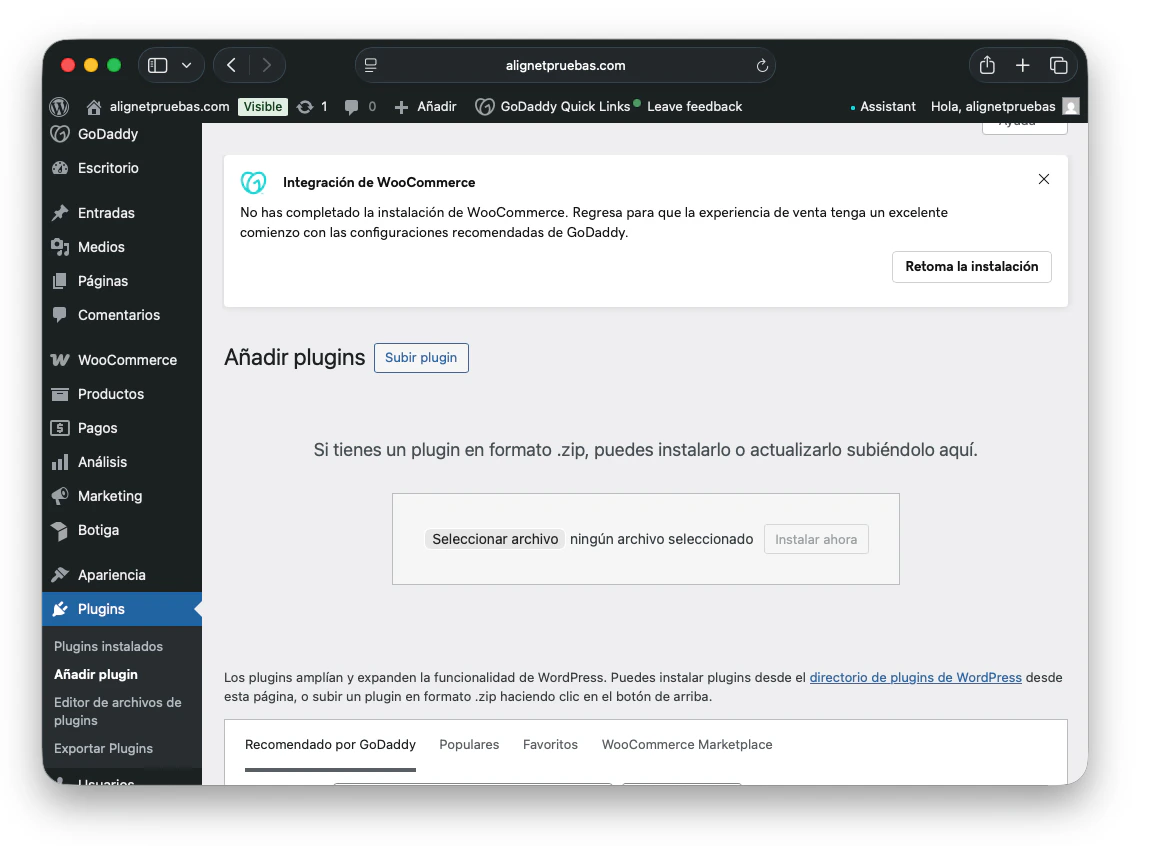
2
Loading Plugin
Click Upload Plugin at the top of the screen to open the file selector.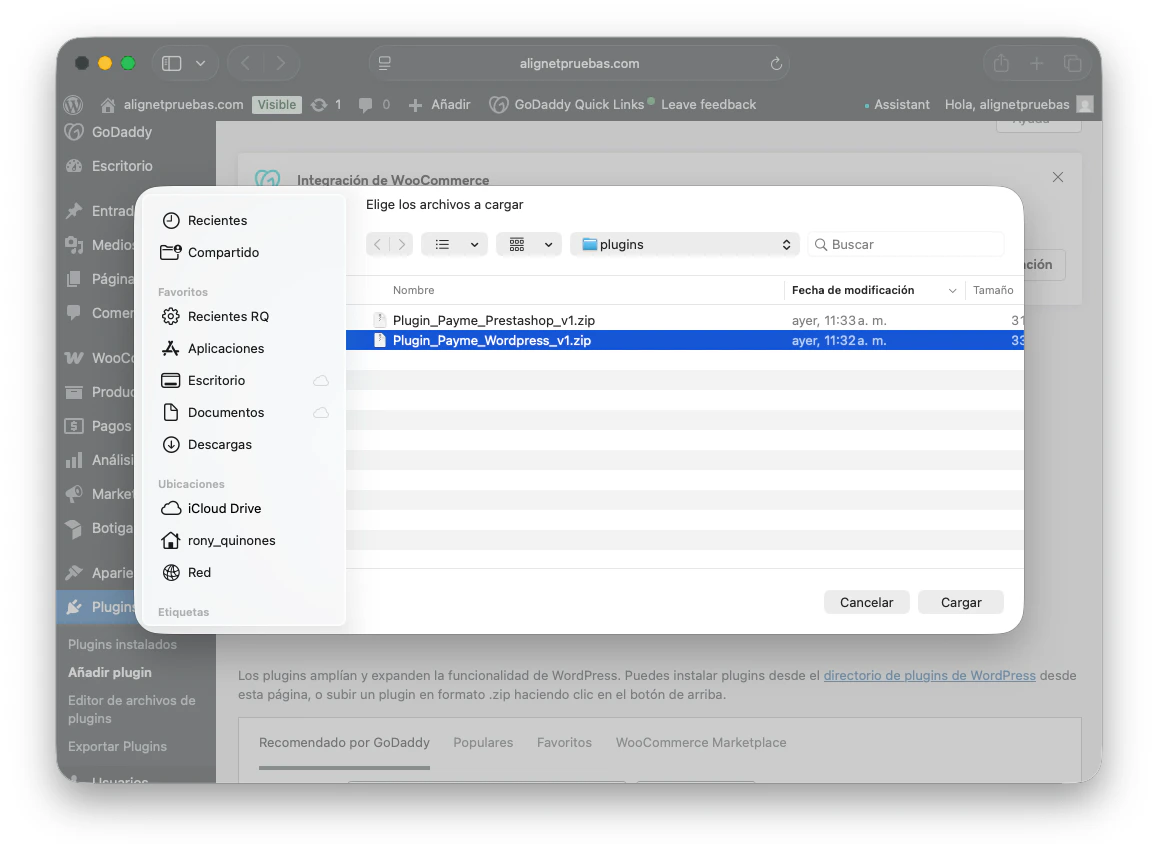
3
Select File
Click Choose File, locate the plugin ZIP file (for example, Plugin_Payme_Wordpress_vX.zip) on your computer and select it.
4
Install Now
Click Install Now. WordPress extracts the files into the appropriate folder (wp-content/plugins/).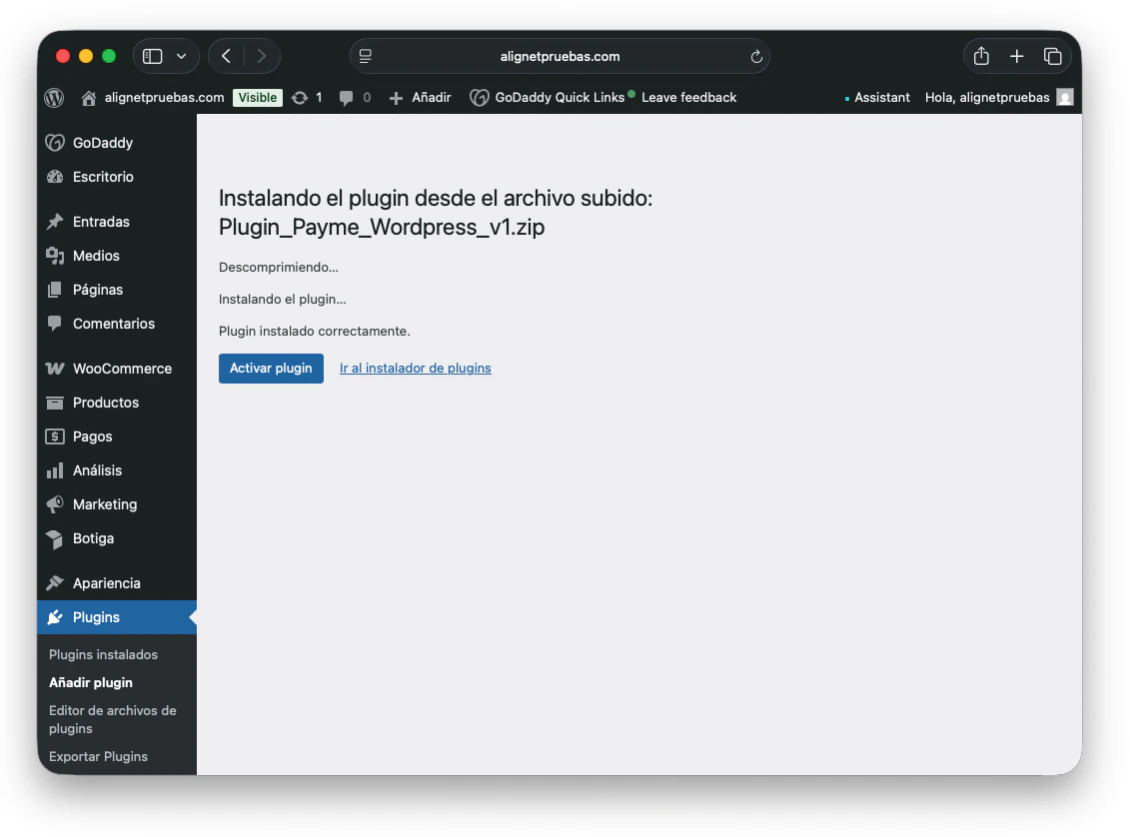
5
Activate
Once the installation has been completed, click on the button Activate plugin.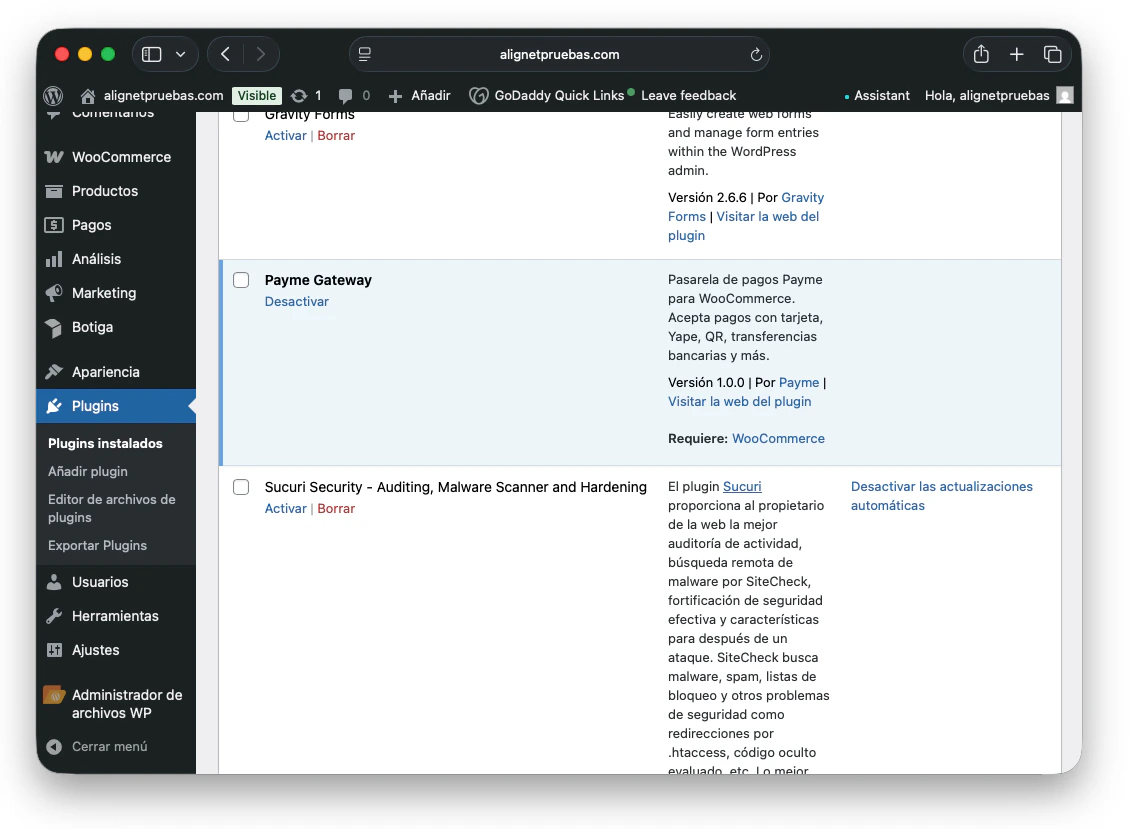
Verify installation
After activation, you can confirm that the plugin is ready to be set up:- Go to WooCommerce > Adjustments at the WordPress.
- Select the tab Payments (or End purchase in old versions).
- You should visualise the payment method Alignet One - Checkout in the official list of gateways.
The plugin doesn’t appear? Be sure that WooCommerce have been properly activated. If the problem persists, check that your server has an extension enabled
fsockopen of PHPrequired by some gateways for network communication.Next step: Setup
Learn how to enter your credentials (Merchant ID, Acquire ID and keys) to enable the testing environment.