

1) Access to Payment Conditions
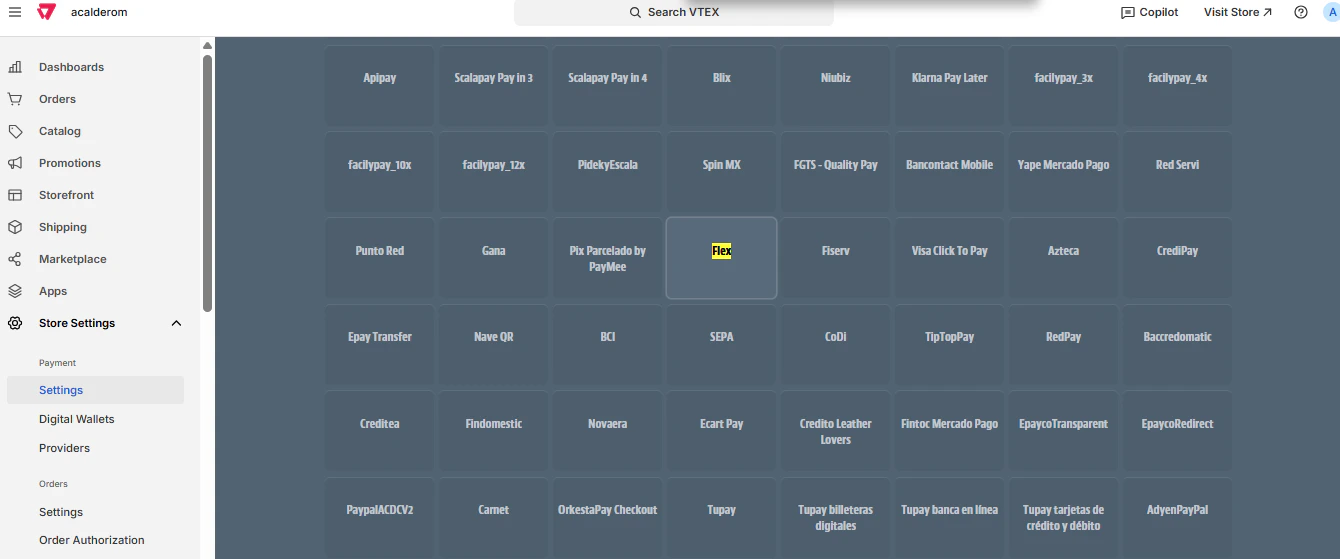
At VTEX, go to: Store Settings > Payments > Settings.Select the option Payment Conditions.
2) Select the supplier Alignet One
On the list of payment methods, place Flex.Click to open the configuration. Open full screen image
3) Configure condition
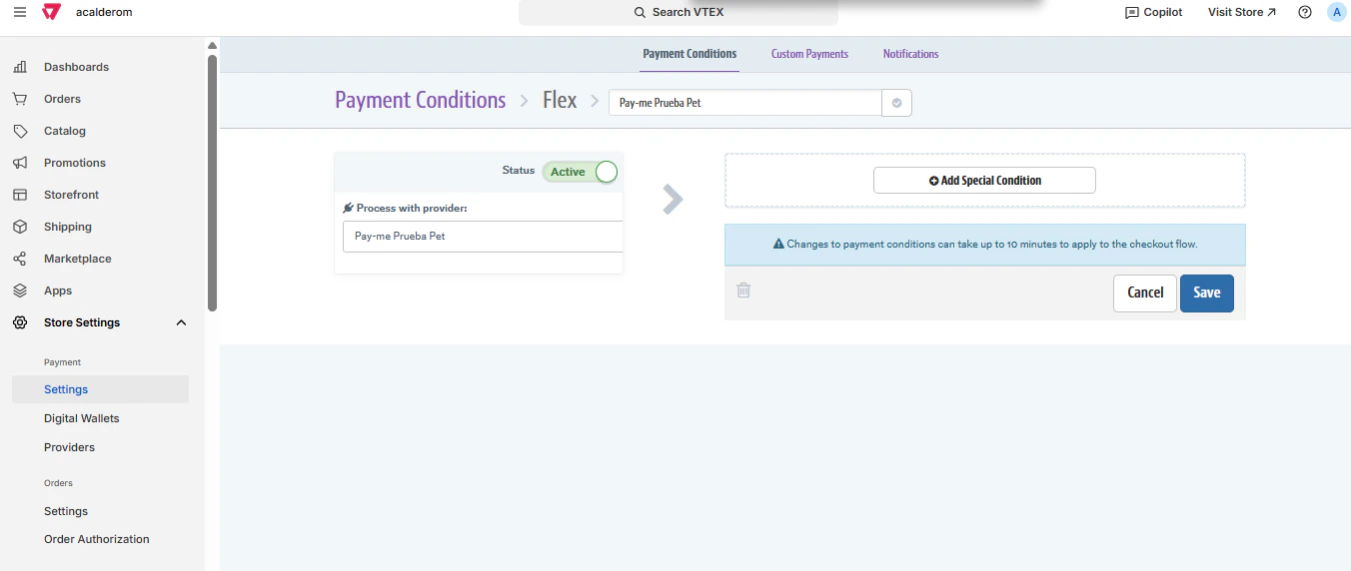
In Process with providerselect the association of Flex previously created (example: Alignet One Test pet).Make sure his Status and Active.
4) Save changes
Click Save.The changes can take about 5 to 10 minutes To be applied to storage check-out.