

← Command Center guide07 / USERS AND ROLES
Find users
- Open Usuarios.
- Search by name or email.
- Filter by status, role, organization type, access status or organization. Solo mi organización limits the query to your organization.
- Check organization, role, status and security before managing access.
Prepare an invitation
Select Nuevo usuario. The first stage asks for Correo electrónico (email) and Nombre completo (full name). The wizard then shows organization and role, advanced settings and review.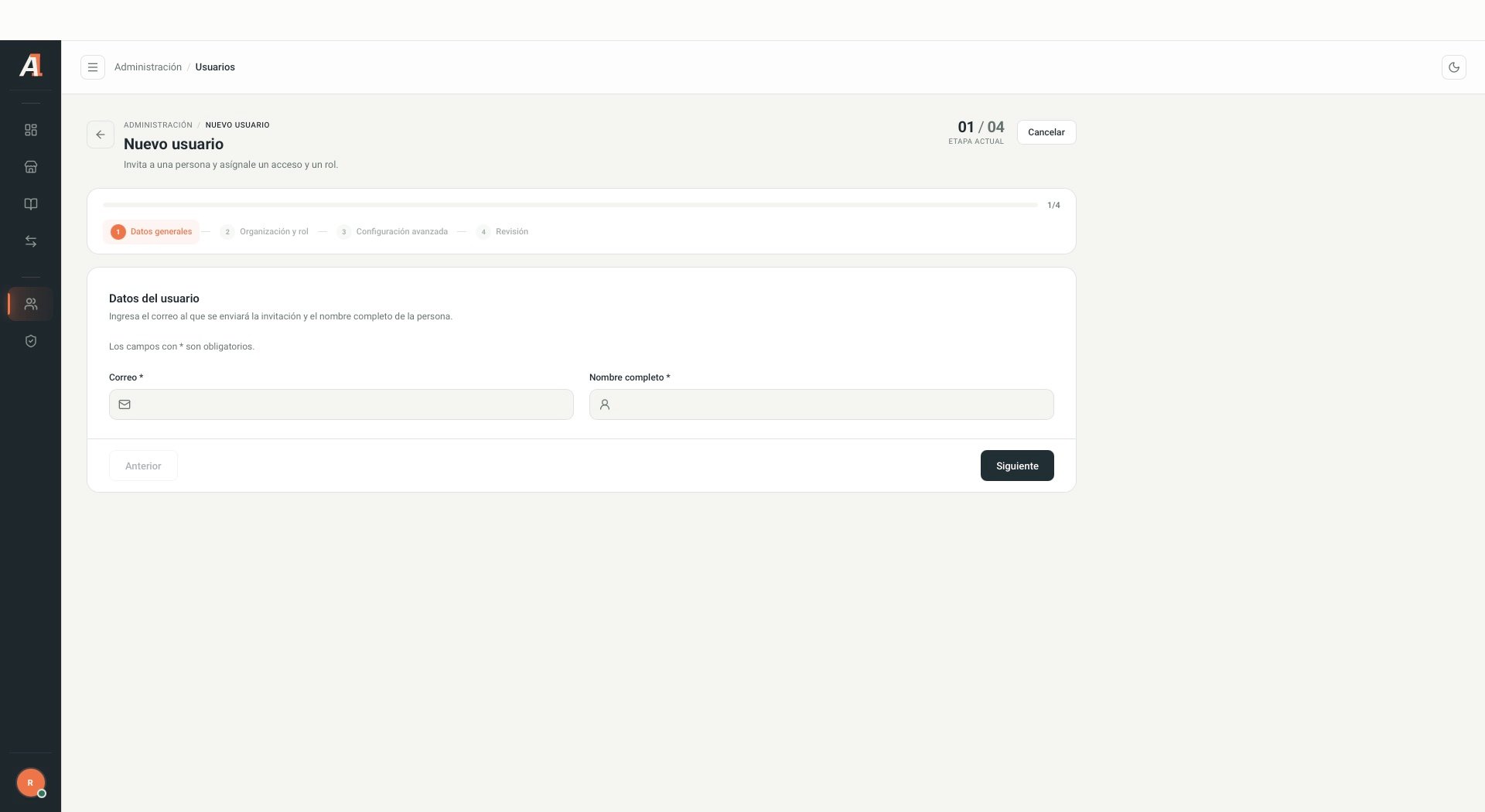
Empty form with no real names or emails. Interface shown in Spanish.
Only the initial form and stage names were inspected. No invitations were sent, and options within later stages were not validated. Sending and accepting invitations require testing in a test environment.
Review a role
- Open Roles and search by name or description.
- Select Ver.
- Review permissions grouped by resource. You can search for a permission and collapse groups.
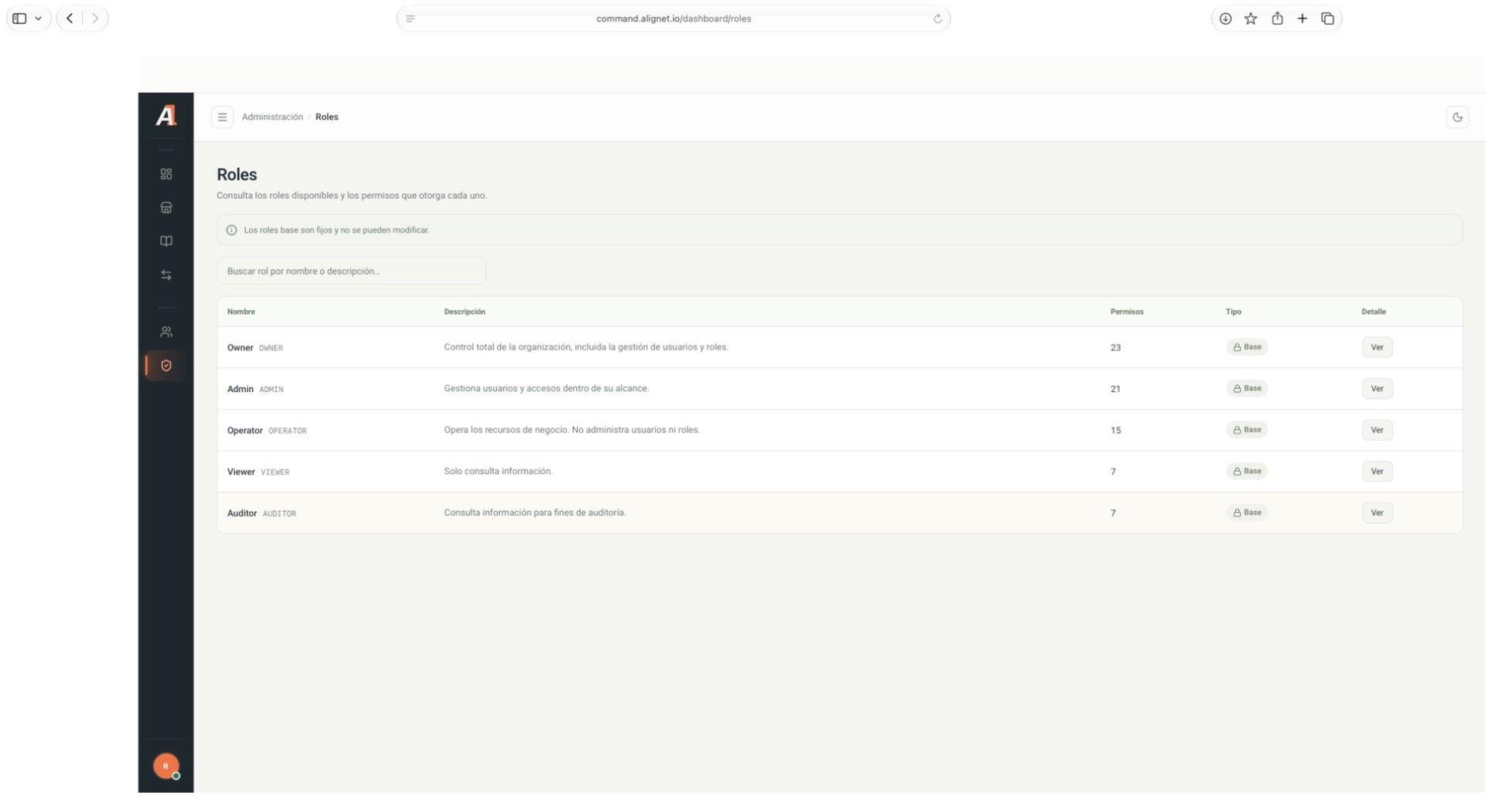
System base roles, with no personal information.