

← Command Center guide04 / MERCHANTS
Find a merchant
- Open Gestión de entidades → Comercios.
- Search by name, short name or Tax ID.
- Select Todos, Activos or Inactivos. Use Filtros, Tipo de captura, Procesadora or Engagement as needed.
- Select Buscar, then Ver detalle on the correct record.
Registration wizard
Select Registrar comercio to open the wizard. Fields marked with an asterisk are required.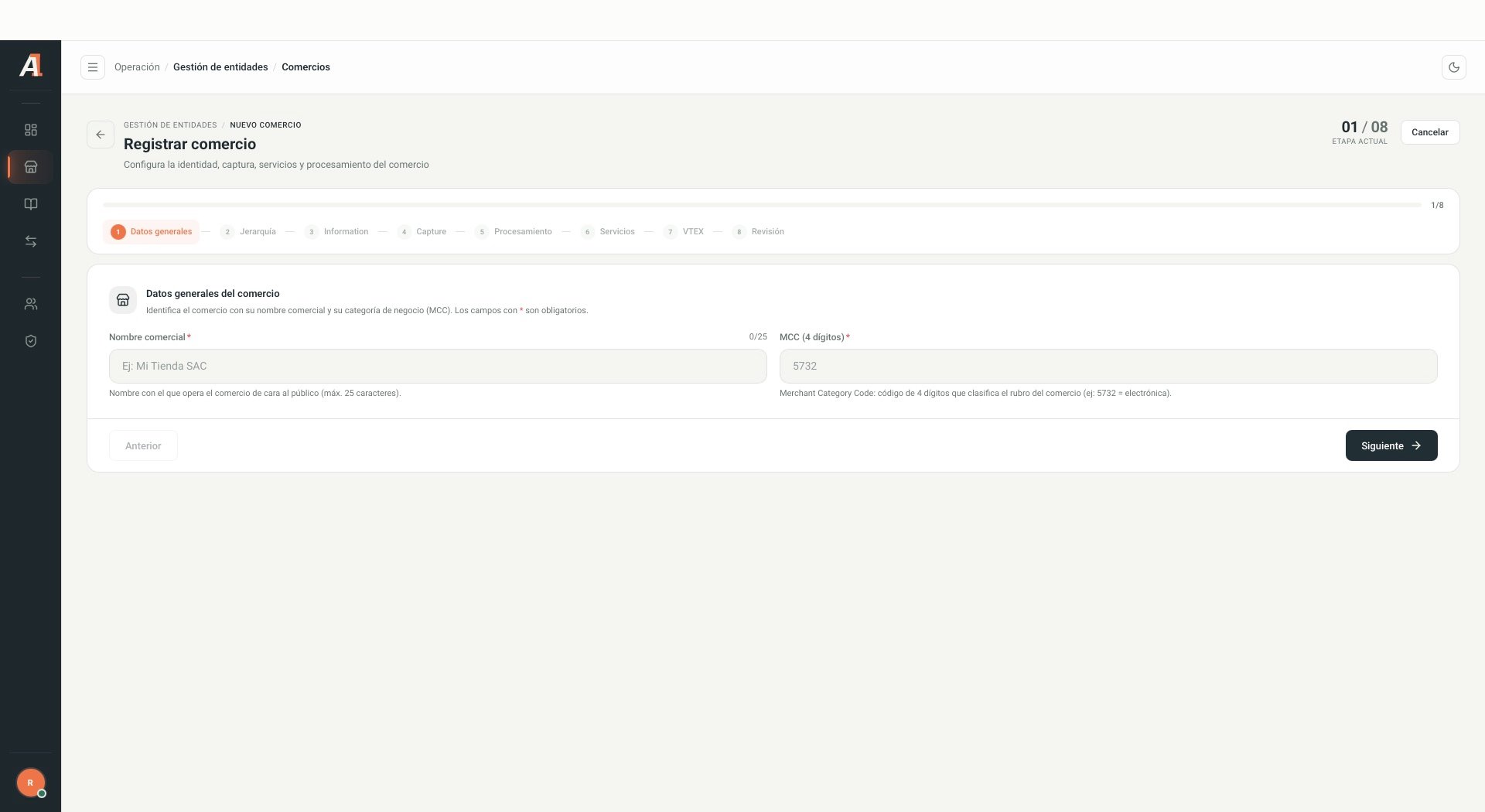
Empty registration form. Gray values are system examples. Interface shown in Spanish.
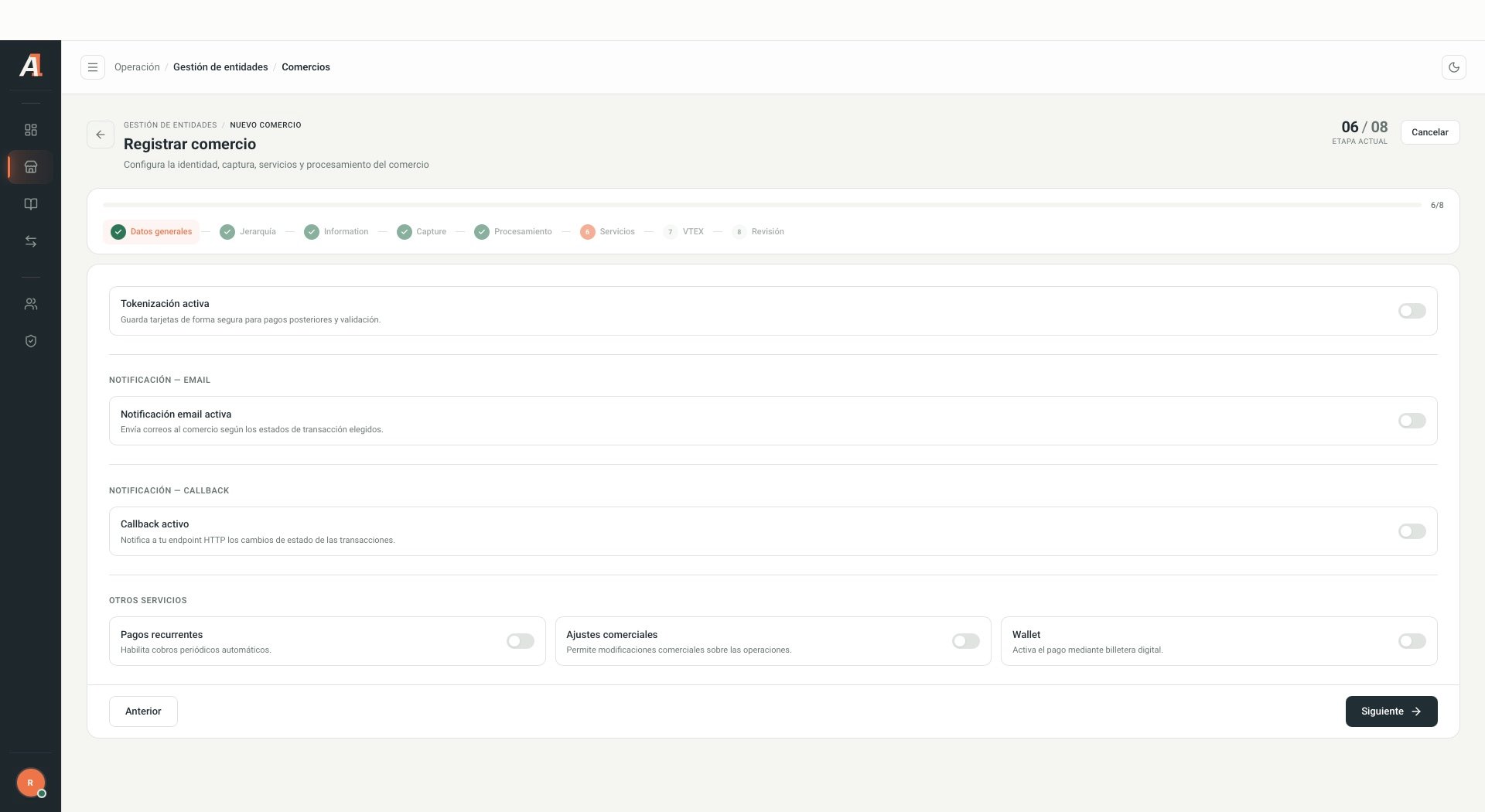
Visible service options, without activating or modifying settings.
This guide describes the observed stages. No merchant was created, and conditional capture, processing or VTEX fields were not validated using a test entity. Validate these flows before treating this as a definitive registration procedure.