> ## Documentation Index
> Fetch the complete documentation index at: https://docs.alignet.com/llms.txt
> Use this file to discover all available pages before exploring further.
# Access and keys
> Obtain credentials and generate VPOS-2 keys.
Request the **acquirer ID**, **merchant ID**, and merchant administrator access to VPayment web in integration.
Generate keys only for the Modal integration. Each new generation immediately replaces the active keys.
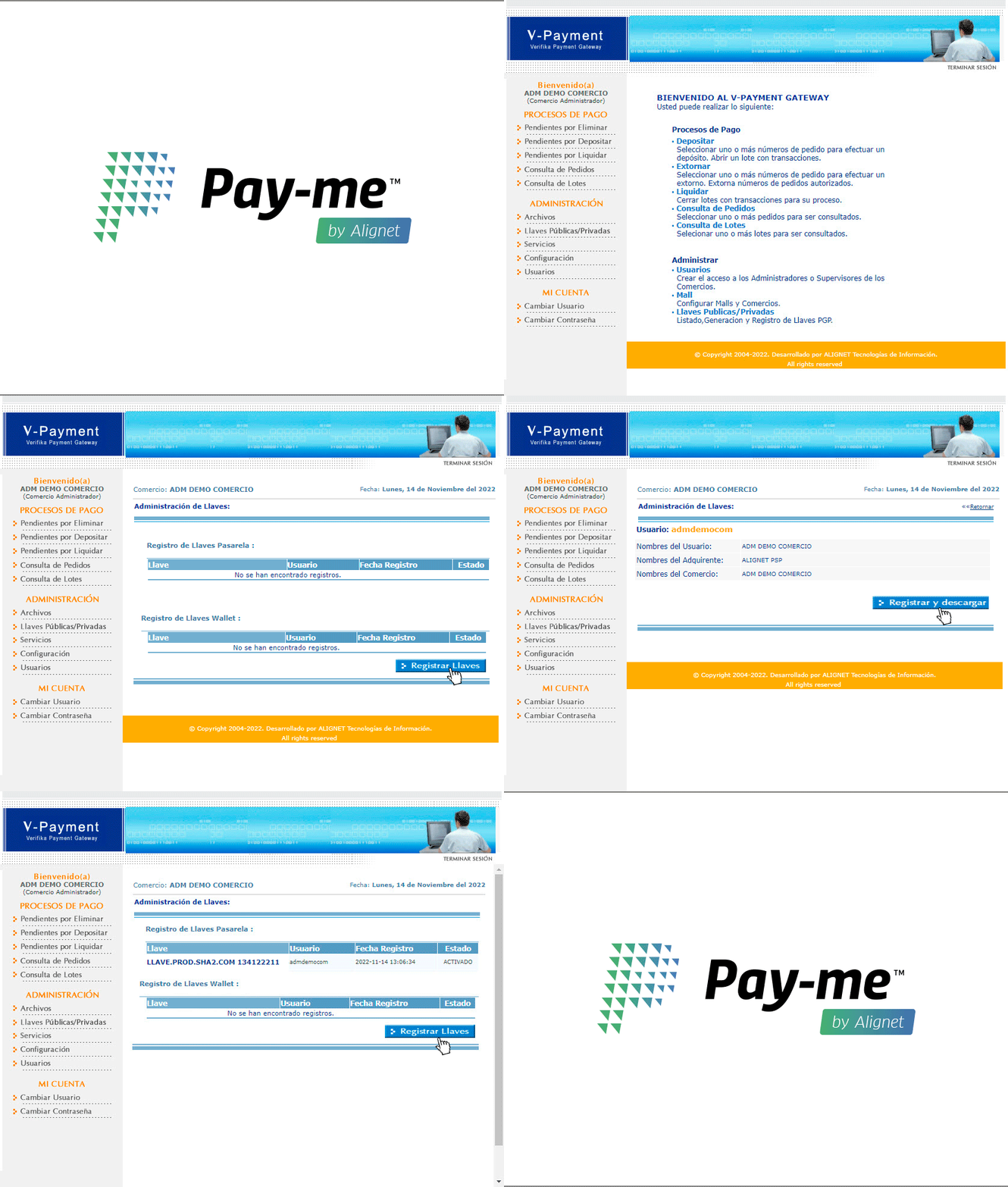
1. Sign in to VPayment web.
2. Open **Administration → Public and Private Keys**.
3. Select **Register Keys**, then **Register and download**.
4. Store `LlavesSHA2.zip` in encrypted, restricted storage.
 | File | Usage |
| --------------------------- | ---------------------------------- |
| `*_PASARELA_*.txt` | VPOS-2 key required by the module. |
| `*_WALLET_*.txt` | Only when Wallet is enabled. |
| Public and private RSA keys | Not required for this integration. |
Keep an encrypted backup, never publish keys, and consider annual rotation. Update the module immediately after replacing them.
[Continue to installation and configuration →](/en/vpos-2/prestashop/installation-and-configuration)
| File | Usage |
| --------------------------- | ---------------------------------- |
| `*_PASARELA_*.txt` | VPOS-2 key required by the module. |
| `*_WALLET_*.txt` | Only when Wallet is enabled. |
| Public and private RSA keys | Not required for this integration. |
Keep an encrypted backup, never publish keys, and consider annual rotation. Update the module immediately after replacing them.
[Continue to installation and configuration →](/en/vpos-2/prestashop/installation-and-configuration)