> ## Documentation Index
> Fetch the complete documentation index at: https://docs.alignet.com/llms.txt
> Use this file to discover all available pages before exploring further.
# Customization and testing
> Define the Modal appearance, validate the flow, and prepare production.
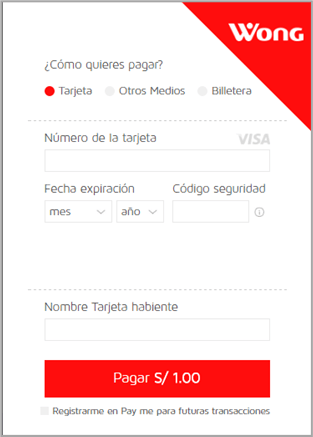
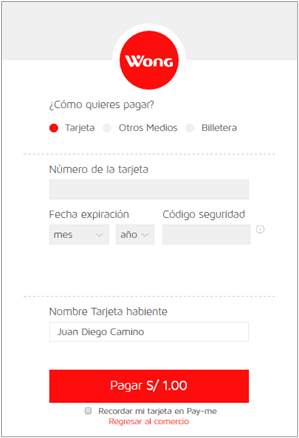
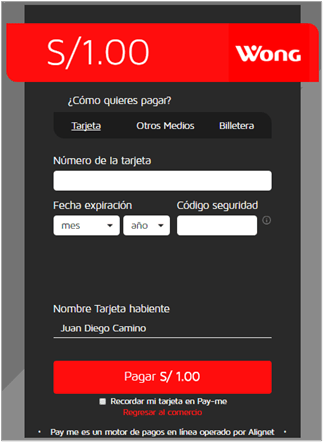
## Available designs
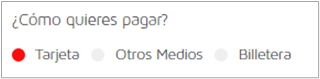
The Integrations team registers the logo and payment-form colors. The merchant can choose one of the three published designs.
| Design | Logo size |
| ------ | ---------- |
| 1 | 90 × 40 px |
| 2 | 50 × 50 px |
| 3 | 75 × 75 px |
Provide the logo as a PNG and colors as hexadecimal values. The background, option selector, primary button, selected state, and link color can be defined.

 ## Minimum testing
* [ ] The Modal opens from a direct user action on desktop and mobile.
* [ ] Safari, Chrome, and Firefox were tested.
* [ ] Amount, currency, and operation number arrive correctly.
* [ ] Request and response signatures are validated.
* [ ] The order is updated only once after retries or reloads.
* [ ] Authorized, denied, and rejected operations were validated.
* [ ] Technical messages are not shown to the buyer.
* [ ] The Integrations team received the results.
## Move to production
After approval, request production credentials and keys. Change the environment script and URLs in a controlled release, keep signature validation enabled, and run a final low-value test.
Do not reuse integration credentials, keys, or URLs in production.
## Minimum testing
* [ ] The Modal opens from a direct user action on desktop and mobile.
* [ ] Safari, Chrome, and Firefox were tested.
* [ ] Amount, currency, and operation number arrive correctly.
* [ ] Request and response signatures are validated.
* [ ] The order is updated only once after retries or reloads.
* [ ] Authorized, denied, and rejected operations were validated.
* [ ] Technical messages are not shown to the buyer.
* [ ] The Integrations team received the results.
## Move to production
After approval, request production credentials and keys. Change the environment script and URLs in a controlled release, keep signature validation enabled, and run a final low-value test.
Do not reuse integration credentials, keys, or URLs in production.