> ## Documentation Index
> Fetch the complete documentation index at: https://docs.alignet.com/llms.txt
> Use this file to discover all available pages before exploring further.
# PrestaShop
> Integrate Alignet One into your PrestaShop store quickly and securely.
 Alignet One PrestaShop is the official module for **Recovery at your store PrestaShop** with the most important payment methods from local market (Peru and region) from a single integration.
### Unavailable payment methods
Depending on your configuration, you can enable
* **Cards:** Visa, Mastercard, American Express, Dines.
* **Cash bills:** YapePlin.
* **Payments with QR.**
* **Transfers and Cash:** PagoEfectivo, Cuotéalo BCP.
### General Flow of Payment
Understanding how information travels is key to a successful integration. The module manages the entire life cycle of the transaction automatically.
Alignet One PrestaShop is the official module for **Recovery at your store PrestaShop** with the most important payment methods from local market (Peru and region) from a single integration.
### Unavailable payment methods
Depending on your configuration, you can enable
* **Cards:** Visa, Mastercard, American Express, Dines.
* **Cash bills:** YapePlin.
* **Payments with QR.**
* **Transfers and Cash:** PagoEfectivo, Cuotéalo BCP.
### General Flow of Payment
Understanding how information travels is key to a successful integration. The module manages the entire life cycle of the transaction automatically.
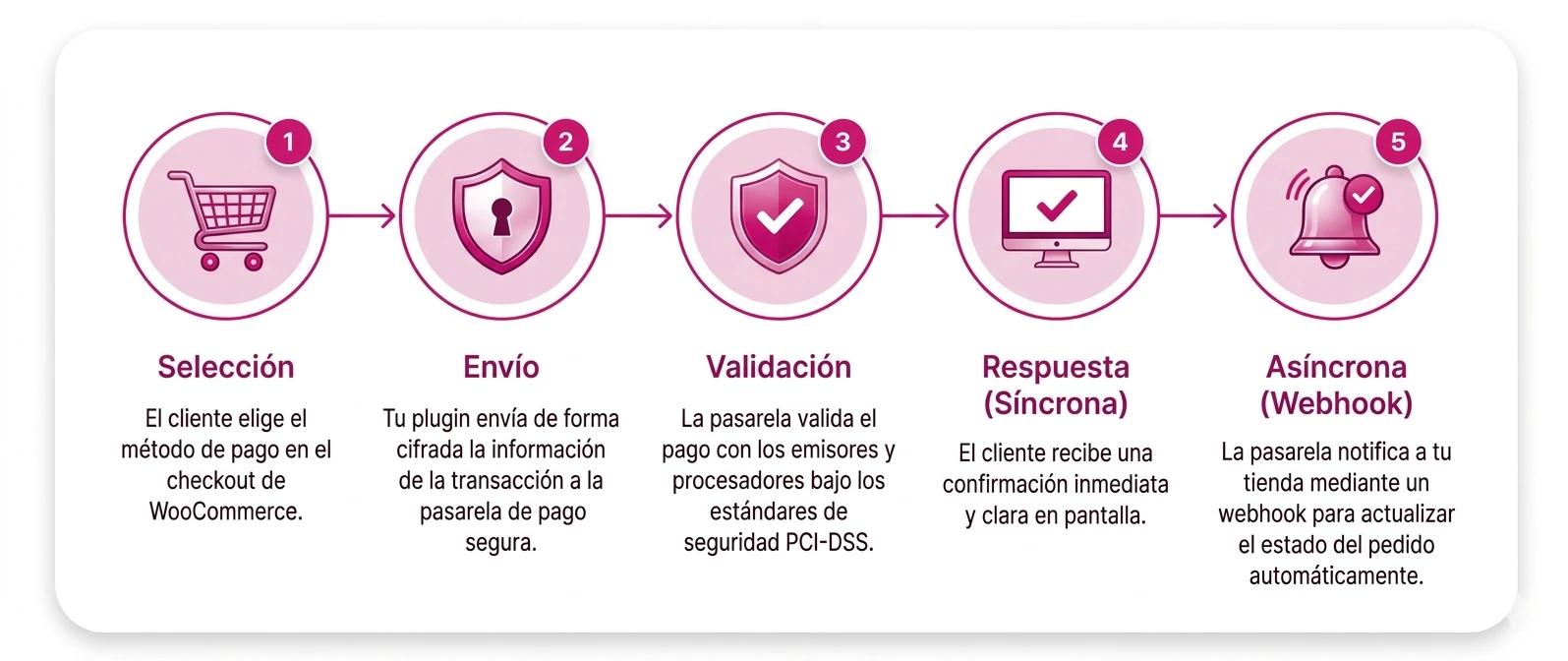 ### How does that work?
1. **Selection:** The client chooses Alignet One as a payment method at the PrestaShop.
2. **Sending:** The module emits the transaction information to the gateway Alignet One.
3. **Validation:** Alignet One Valids payment with issuers and processors under safety standards PCI-DSS.
4. **Answer:**
* **Symchrone:** The client receives an immediate confirmation on screen.
* **Asynchronous (Webhook):** Alignet One notify your store using a web hold to update the order status automatically.
***
## Requesting Life Cycle
To have your operation consisstore, the module maps the states of the gateway with the native states of PrestaShop:
The order will be created at PrestaShop how **"Waiting for payment"** or **"Outstanding"**.
If payment is successful, the state changes to **"Payment accepted"**, enabling them to start preparing their order.
If payment's rejected or the client's leave the flow, the order's marked as **"Recovery error"** or **"Cancelled"**.
***
Download the module and put it up from the management panel PrestaShop.
Configure your credentials and enabling payment methods to suit your business.
### How does that work?
1. **Selection:** The client chooses Alignet One as a payment method at the PrestaShop.
2. **Sending:** The module emits the transaction information to the gateway Alignet One.
3. **Validation:** Alignet One Valids payment with issuers and processors under safety standards PCI-DSS.
4. **Answer:**
* **Symchrone:** The client receives an immediate confirmation on screen.
* **Asynchronous (Webhook):** Alignet One notify your store using a web hold to update the order status automatically.
***
## Requesting Life Cycle
To have your operation consisstore, the module maps the states of the gateway with the native states of PrestaShop:
The order will be created at PrestaShop how **"Waiting for payment"** or **"Outstanding"**.
If payment is successful, the state changes to **"Payment accepted"**, enabling them to start preparing their order.
If payment's rejected or the client's leave the flow, the order's marked as **"Recovery error"** or **"Cancelled"**.
***
Download the module and put it up from the management panel PrestaShop.
Configure your credentials and enabling payment methods to suit your business.